Lockbit (Let's Defend)
Challenge Write-up (Hard)
Lessons Learned:
To conduct memory analysis on a machine infected by a ransomware. To have a looooooooong patience in analyzing these kinds of artificats.
The Challenge:
You are a Digital Forensics and Incident Response (DFIR) analyst tasked with investigating a ransomware attack that has affected a company’s system. The attack has resulted in file encryption, and the attackers are demanding payment for the decryption of the affected files. You have been given a memory dump of the affected system to analyze and provide answers to specific questions related to the attack.
- Can you determine the date and time that the device was infected with the malware? (UTC, format: YYYY-MM-DD hh:mm:ss)
- Method:
- Backup the captured memory and note the hash value before doing anything.
- Download Volatility.
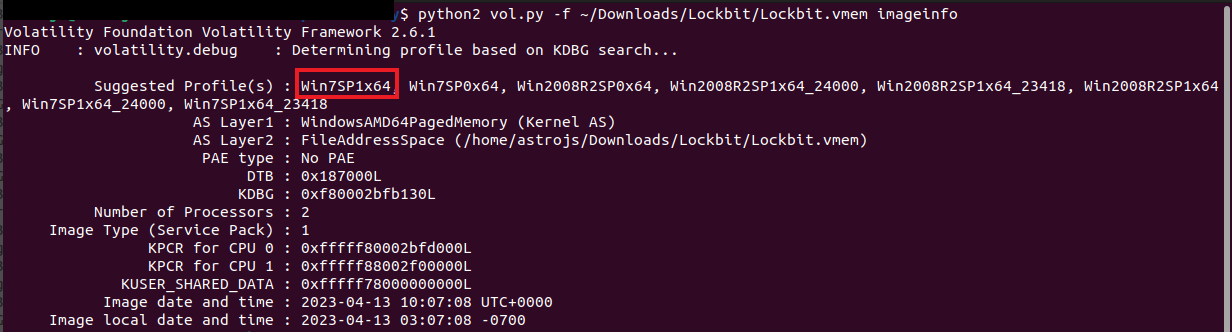
- Obtain the profile of the captured volatile memory (python2 vol.py -f ~/Downloads/Lockbit/Lockbit.vmem imageinfo).
- Once the profile was identified, check the pslist of the captured memory to look for suspicious process/es (python2 vol.py -f ~/Downloads/Lockbit/Lockbit.vmem pslist).
- All seem common process aside from ‘mal.exe’, jotted down the Start time of the process.

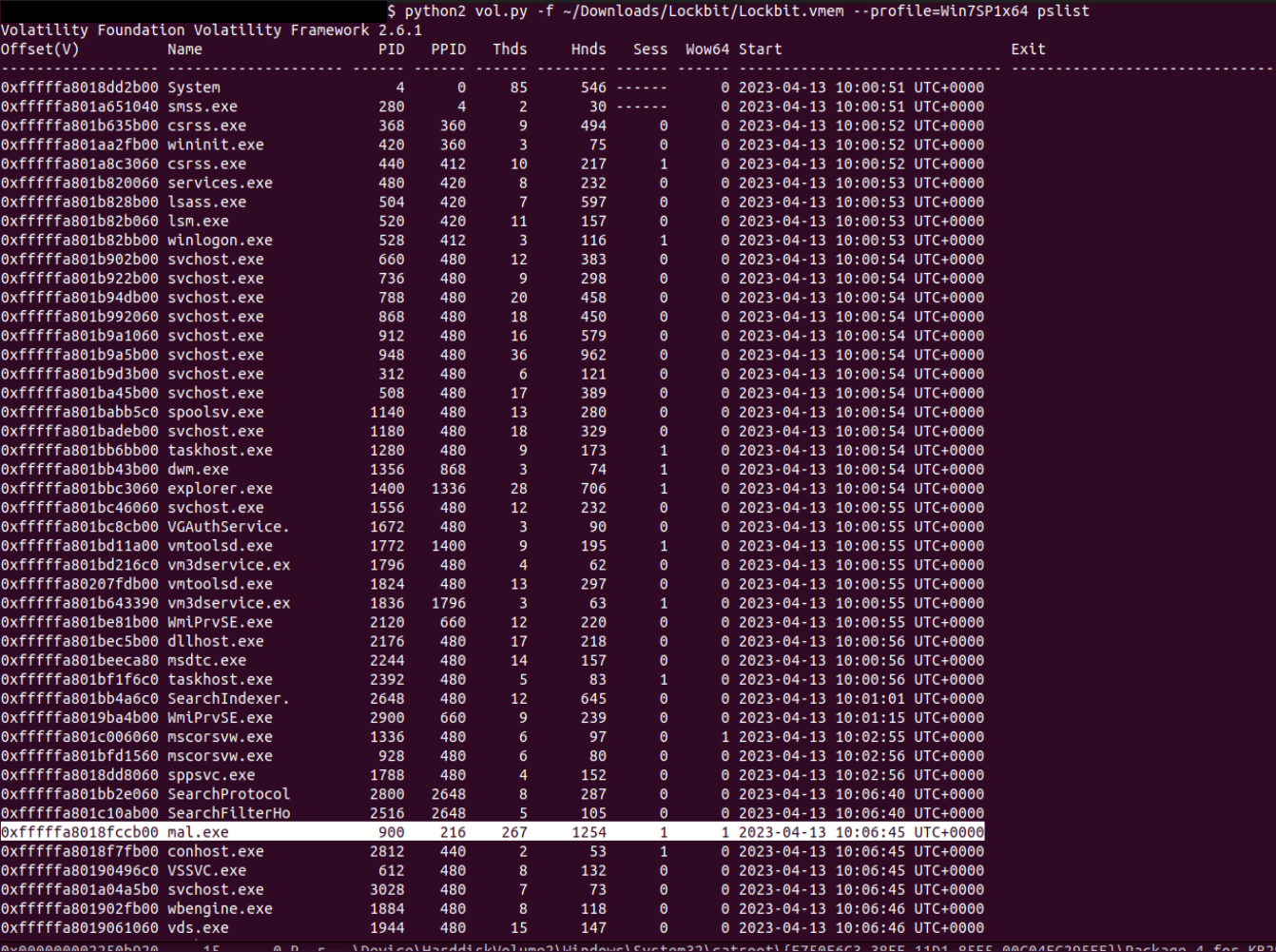
- Answer: “2023-04-13 10:06:45”
- What is the name of the ransomware family responsible for the attack?
- Method: Run a filescan and check for suspicious extensions.
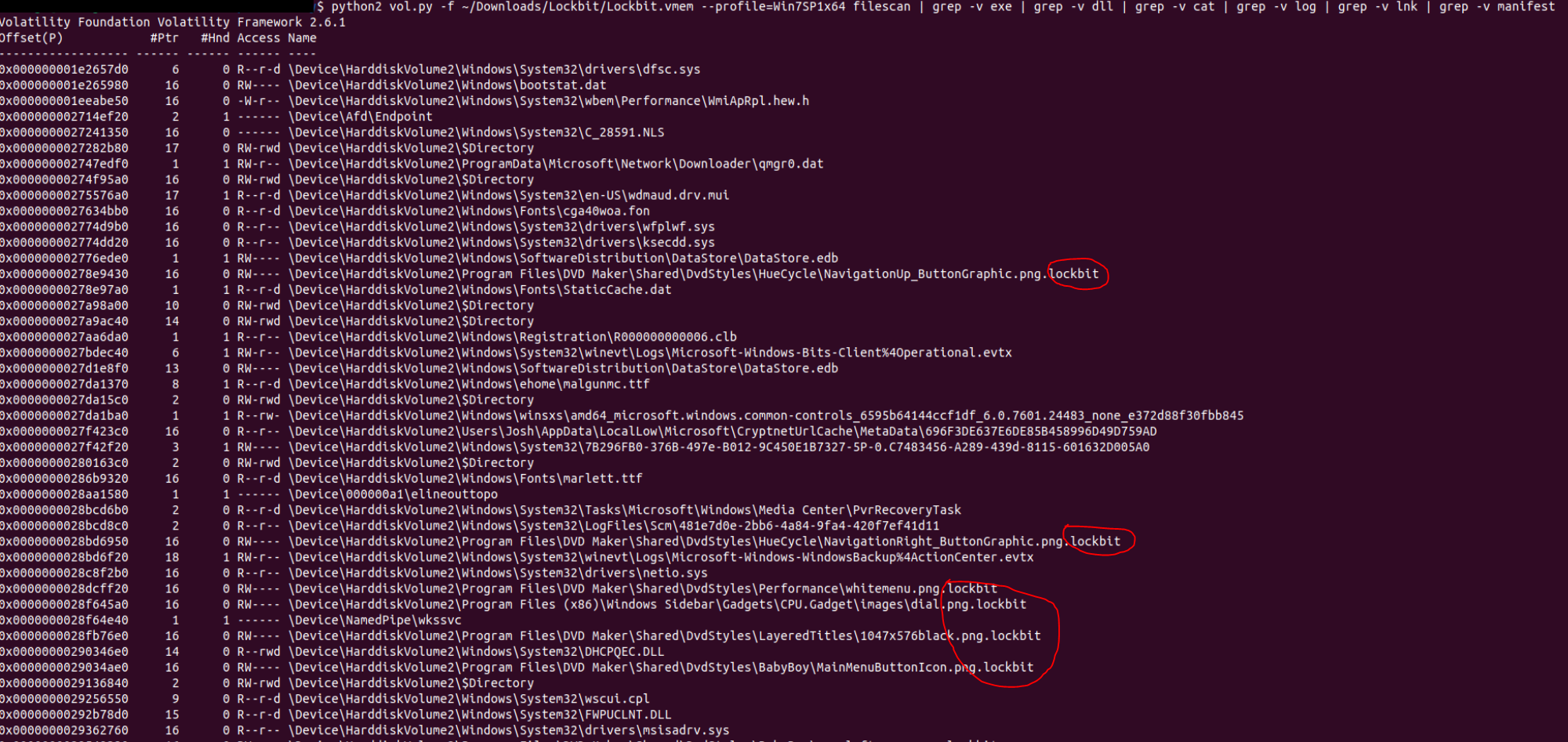
- Answer: “Lockbit”
- What file extension is appended to the encrypted files by the ransomware?
- Method: See the method above.
- Answer: “.lockbit”
- What is the TLSH (Trend Micro Locality Sensitive Hash) of the ransomware?
- Method:
- Retrieve the suspicious executable file by using the ‘procdump’ module (python2 vol.py -f ~/Downloads/Lockbit/Lockbit.vmem —profile=Win7SP1x64 procdump -D ./ -p 900).
- Check the MD5 hash value of the executable file (md5sum executable.900.exe).
- Conduct OSINT to check web records of the identified hash value.

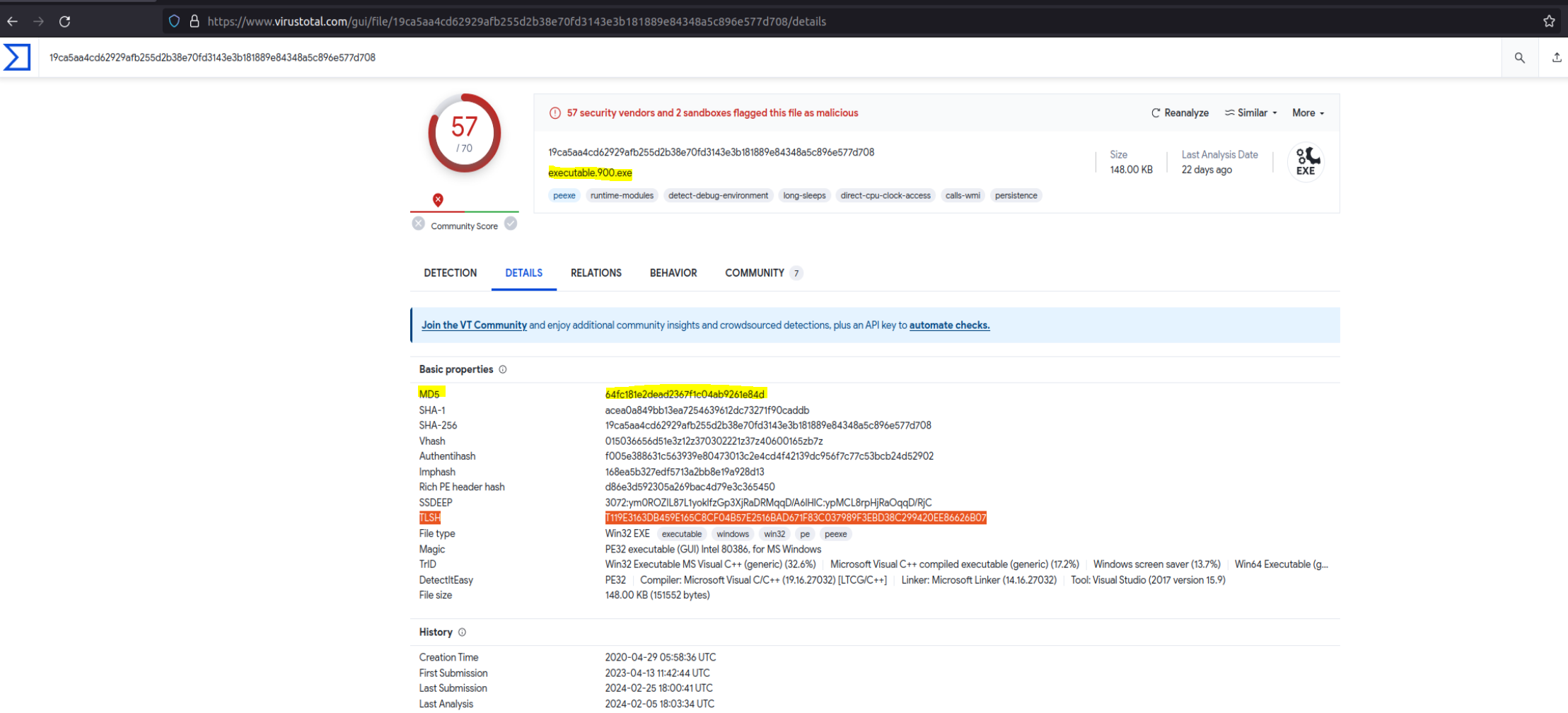
- Answer: “T119E3163DB459E165C8CF04B57E2516BAD671F83C037989F3EBD38C299420EE86626B07”
- Which MITRE ATT&CK technique ID was used by the ransomware to perform privilege escalation?
- Method: Still in VirusTotal, go to Behavior tab and inspect the MITRE ATT&CK section. The answer will be displayed under Privilege Escalation.
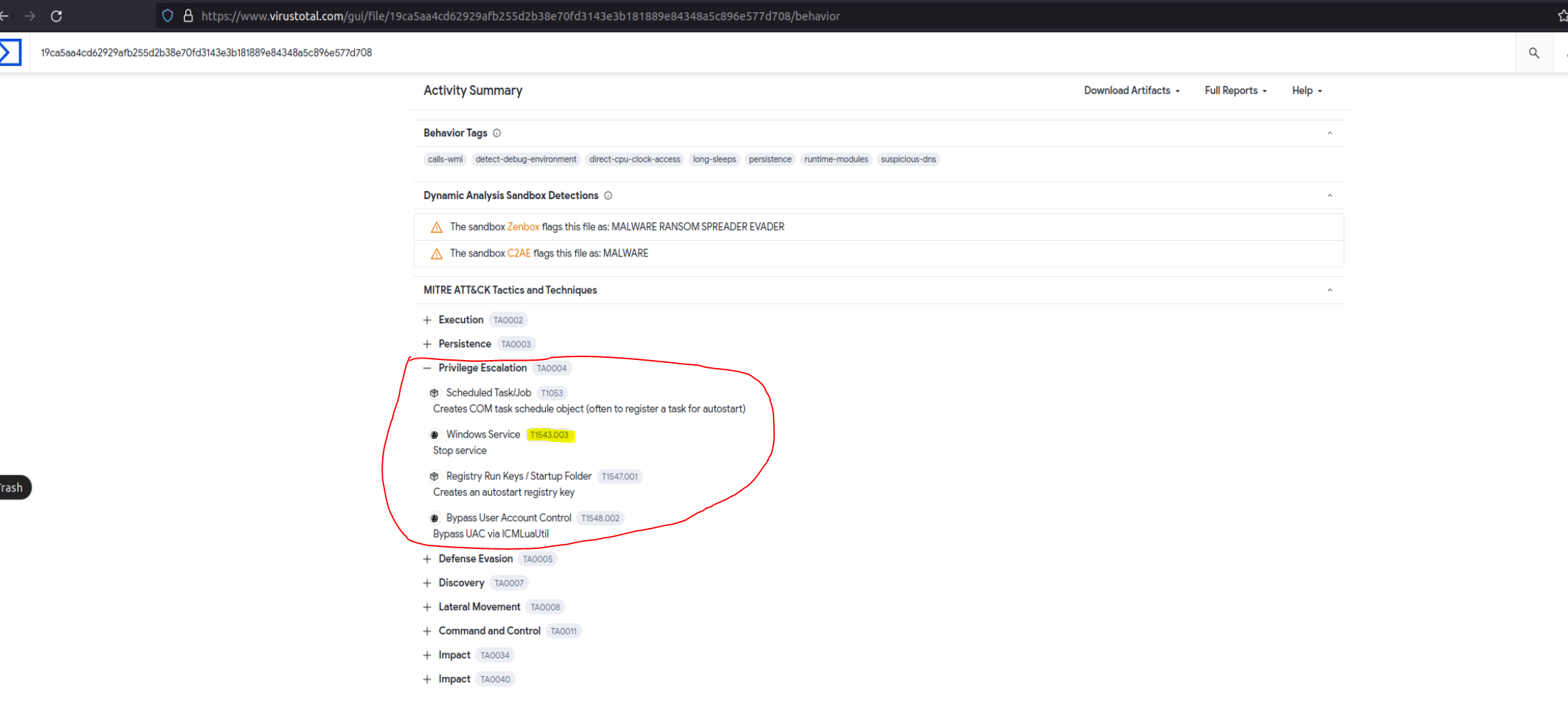
- Answer: “T1543”
- What is the SHA256 hash of the ransom note dropped by the malware?
- Method: This is kind of a trial and error since the ransomware notes found in the memory cannot be dumped. Found a section in VirusTotal with the list of dropped files and their corresponding hash value.
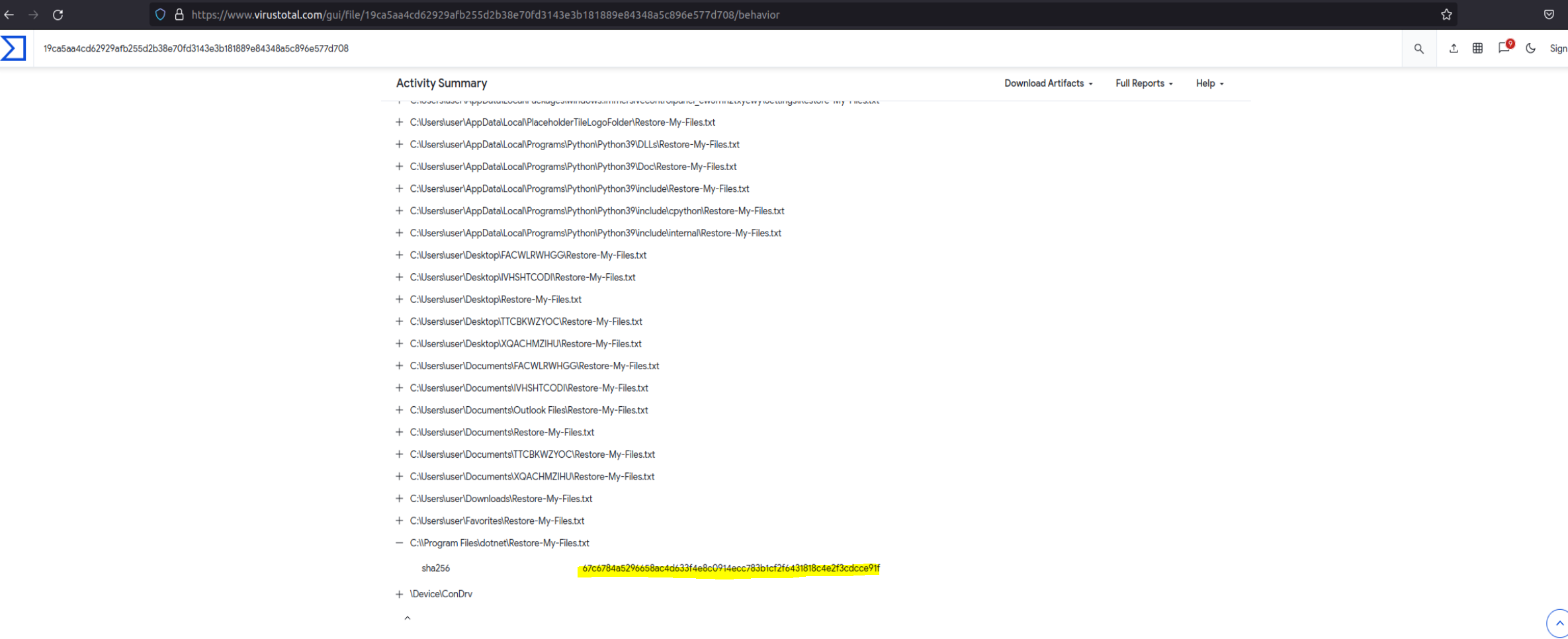
- Answer: “67c6784a5296658ac4d633f4e8c0914ecc783b1cf2f6431818c4e2f3cdcce91f”
- What is the name of the registry key edited by the ransomware during the attack to apply persistence on the infected system?
- Method:
- Conduct OSINT for possible write-ups/analysis on the findings above.
- Found and reviewed an article from Sophos discussing a persistence mechanism in Registry.
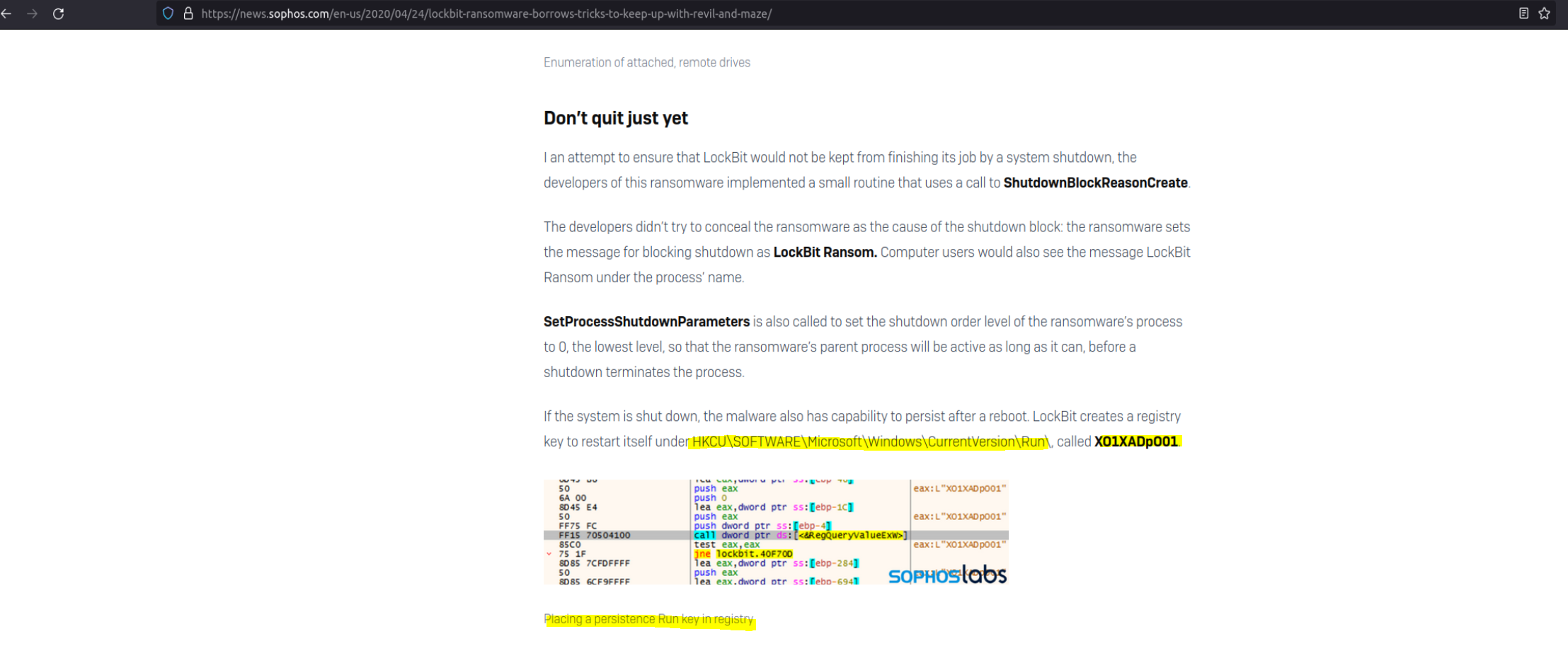
- Answer: “XO1XADpO01”